
The useful thing about the Foundry Module SDK is not that it adds another way to start a local stack.
The useful thing is the shape of the loop.
A folio module developer should be able to start from a working system, verify that the selected released backend and published frontend artifact are healthy, and then substitute only the thing they are editing. If they are fixing backend behaviour, the app shell, identity provider, gateway, runtime composition, and released MFE can stay production-shaped. If they are changing the frontend, the released backend can stay in place while Lattice loads a locally served remote entry.
That is the path the SDK is now starting to make explicit. ILL is the first worked example because it is concrete enough to prove the loop end to end, but the target is broader: ERM (Agreements and Licenses), Open Access, Serials Management, Licenses, Agreements, or any other module group should be able to define the same kind of development profile.
Start with a released runtime
The day-zero target is intentionally boring.
Clone the SDK repository, select a stable SDK version, and start the profile for the module group you are working on. In this walkthrough that profile is ill, but the point is the profile model, not ILL itself.
A profile is a development preset. It names the capabilities to activate, the released backend images to run, the published MFE artifacts to load, the module repositories a developer is likely to need, and the verification checks that prove the profile is usable. A future ERM profile might bring up Licenses and Agreements together. An Open Access profile might select OA plus the platform support surfaces it depends on. A Serials profile might activate Serials Management with the backend and reference-data checks that team expects.
The profile should give a developer a working environment before they have opened an IDE, cloned a module source repository, or changed a line of code.
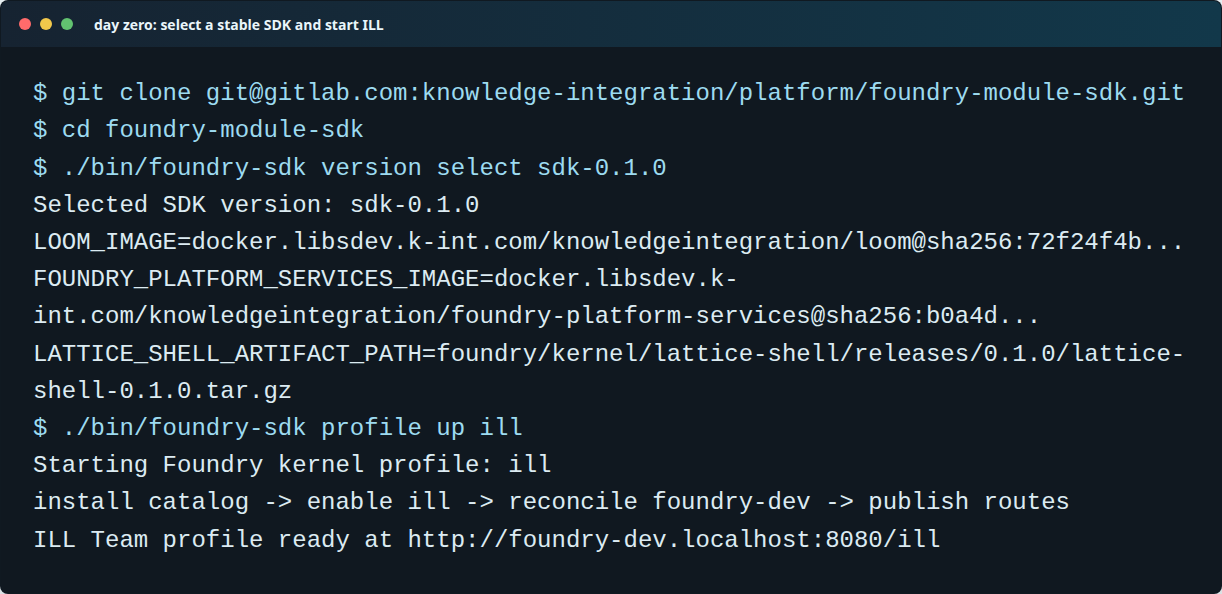
The SDK starts from pinned kernel artifacts and a selected development profile. Here the profile is ILL; the default shape is still a released runtime, not a collection of local source checkouts.
The important design choice is that the profile does not mean “run whatever happens to be checked out locally”. It means “run this module-development shape with the profile’s selected released artifacts”.
For the current ILL example, that means:
- Lattice is loaded from the selected kernel shell artifact.
- Loom and foundry-platform-services are selected from published container artifacts.
- Envoy remains the local data plane.
- Zitadel remains the local identity provider.
- The backend starts from the profile-selected
mod-illcontainer. - The frontend is loaded by Lattice from the published ILL MFE remote entry.
That gives module developers a known baseline. When a bug appears after they substitute their local code, there is something concrete to compare against.
This is also where profiles become more than shortcuts. They are a way for teams to share a known development context. “Run the ERM profile” should eventually mean “give me the agreed ERM development system”, not “read three pages of notes and remember which modules, images, routes, and frontend artifacts to combine today”.
Verify before editing
The SDK has to be more than a convenience script. It needs to tell the developer whether the environment is actually fit for work.
Each profile should own the checks that make that profile credible. Some checks will be common to every profile: shell config, identity runtime, Loom workspace runtime, MFE navigation, route publication, unauthenticated API behaviour, and the browser shell smoke path. Other checks will be profile-specific: an ERM profile might prove Licenses and Agreements navigation together, an Open Access profile might check OA reference data, and a Serials profile might verify the serials backend paths that matter for day-to-day development.
The ILL verification command is the first concrete example of that pattern.
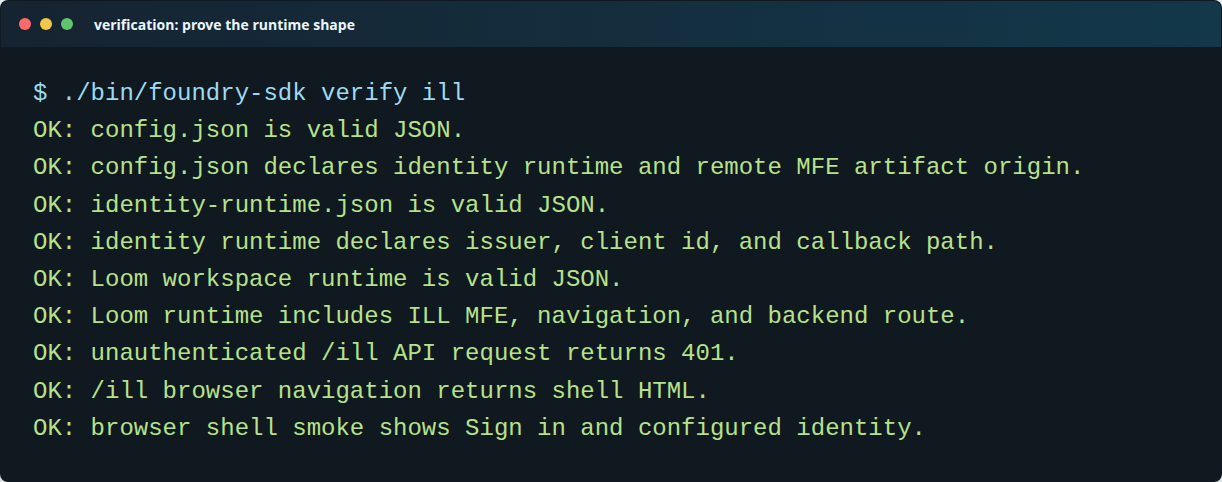
Verification keeps the SDK honest. A profile is only useful if it proves that auth, routing, runtime composition, and the selected capabilities are all present.
Once the profile is up, the developer opens the local shell and signs in with the SDK’s local test identity. The result is a normal Lattice workspace with the profile-selected apps active. In this run, that app is ILL.
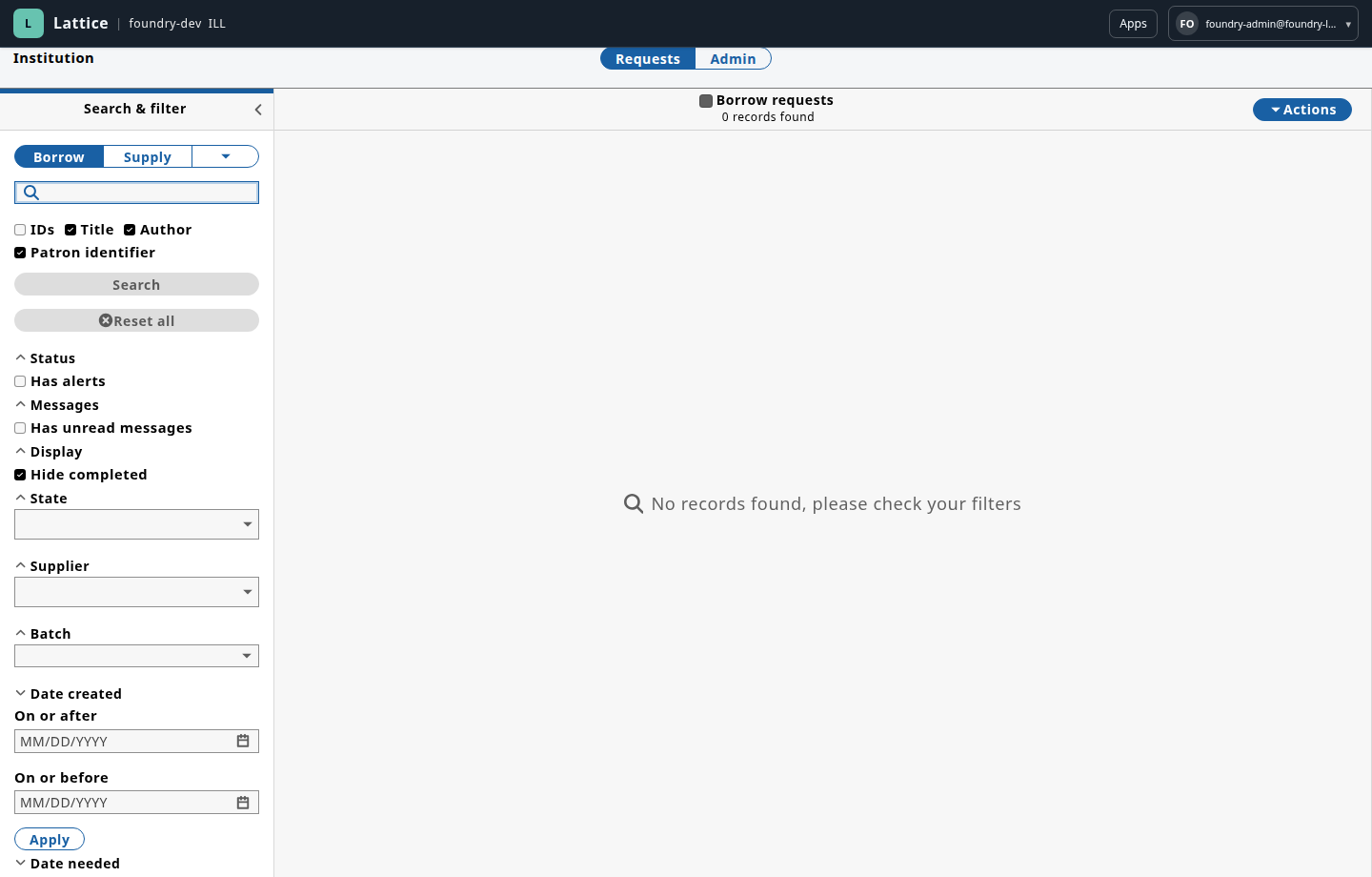
ILL running inside Lattice through the first SDK profile. At this point the backend and frontend are still released artifacts.
This is the part that matters for developer experience. The first thing a module developer sees is not a half-built local platform. It is the application running in the same envelope they will use while iterating: local HTTPS aggregation work, identity, routing, runtime app composition, platform support services, and module capability activation.
Keep module source separate
The SDK is not the Foundry kernel workspace.
That boundary is deliberate. The kernel/platform workspace is where Loom, Lattice, Envoy generation, descriptors, platform services, publisher tooling, and runtime contracts evolve. The module SDK is for people developing modules. It can receive reproducible drops from the platform workspace, but platform development should not take place inside the SDK repository.
Module source belongs under a dedicated modules/ directory.
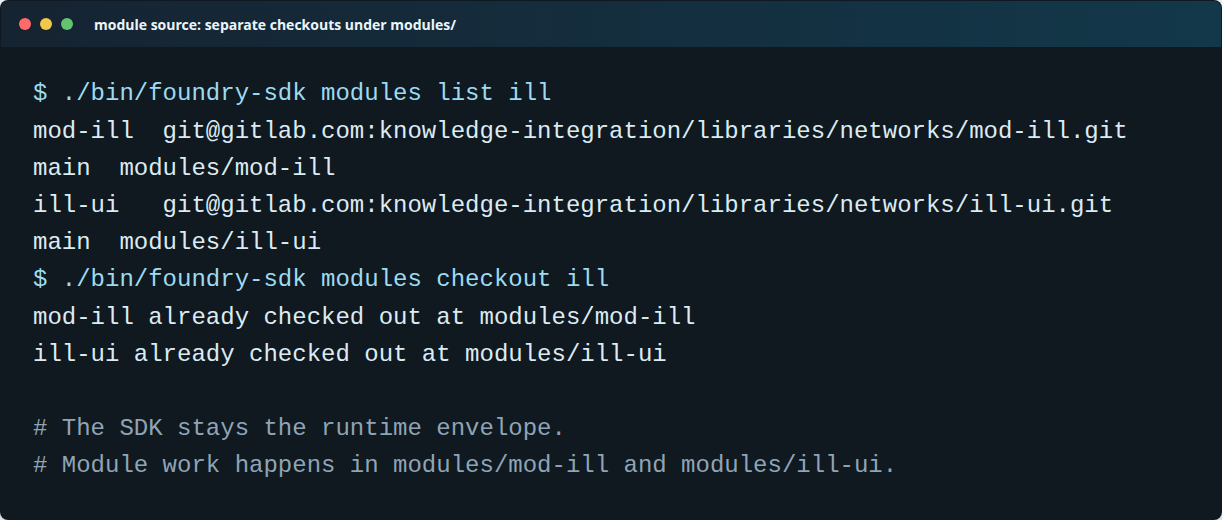
A profile can name useful module repositories, but keeps them as explicit module checkouts under modules/.
That gives a clear rule of thumb:
- change SDK/runtime behaviour in SDK-owned files;
- change backend module behaviour under that module’s checkout, such as
modules/mod-ill; - change frontend module behaviour under that module’s checkout, such as
modules/ill-ui; - change Foundry kernel/platform contracts back in the platform workspace, then publish a new SDK drop.
This is not just repository tidiness. It is how the project avoids infecting platform work with one module group’s needs, and avoids making module developers understand the whole kernel before they can fix a module issue.
Backend iteration
For a backend fix, the developer keeps the released frontend and shell in place. The example below uses the ILL profile, but the same idea should apply to any profile slot that exposes a backend substitution point.
The loop is:
./bin/foundry-sdk modules checkout ill

# Start mod-ill from the module checkout, usually from the IDE or the
# module's normal Grails/Gradle workflow, and expose it on a local port.

./bin/foundry-sdk dev substitute backend ill --url http://host.docker.internal:8081
./bin/foundry-sdk verify ill

# edit, restart, test through the real Foundry shell

./bin/foundry-sdk dev reset backend ill
The substitution command is the contract. It should update the local runtime route for the selected backend without changing the profile’s released-artifact baseline. Resetting the override returns the profile to the released backend.
That keeps the developer’s attention on the backend behaviour they are changing. They still get the real local identity provider, tenant/workspace headers, Envoy path, and Lattice application flow, but they are not forced to run every kernel service from source.
Frontend iteration
For a frontend fix, the developer can do the inverse.
Keep the released backend running in the SDK profile. Serve the local UI checkout as a Lattice-compatible remote entry, then tell the runtime to load that remote instead of the published artifact. In the ILL example, that means mod-ill stays released while ill-ui is substituted.
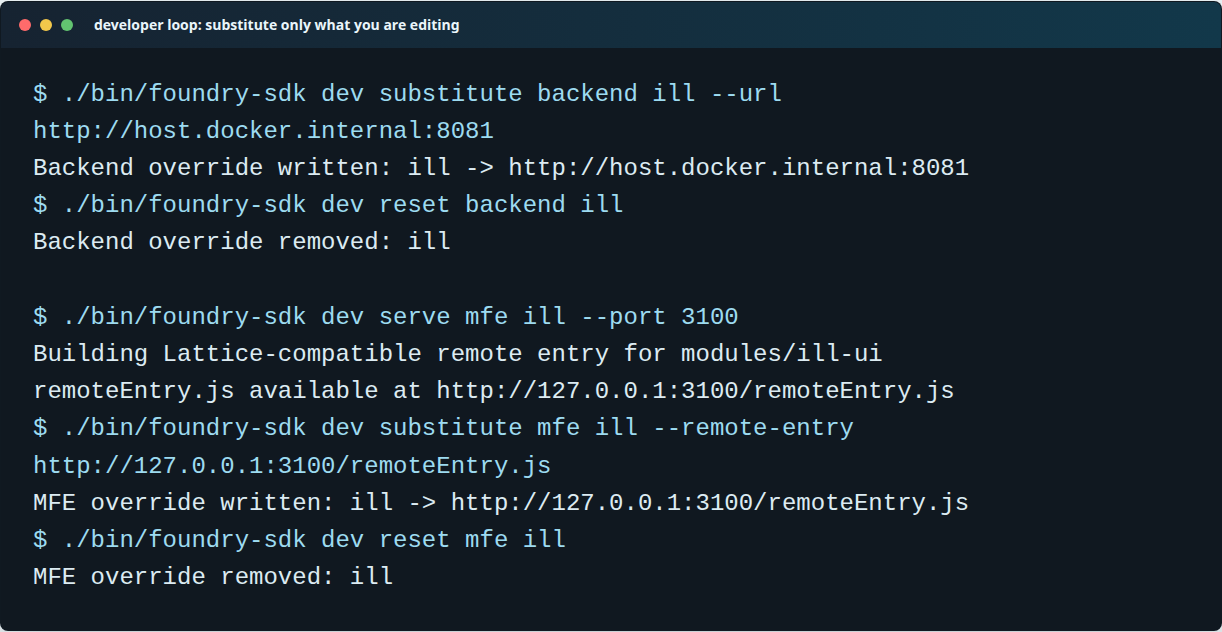
The SDK loop is explicit: substitute a backend URL or MFE remote entry, iterate, then reset back to the released profile.
The frontend loop should look like this:
./bin/foundry-sdk modules checkout ill
./bin/foundry-sdk dev serve mfe ill --port 3100
./bin/foundry-sdk dev substitute mfe ill --remote-entry http://127.0.0.1:3100/remoteEntry.js

# edit modules/ill-ui, refresh Lattice, test through the normal app shell

./bin/foundry-sdk dev reset mfe ill
This is a small but important distinction from simply running a standalone frontend dev server. The developer is not testing a UI in isolation. They are testing a local MFE inside the same runtime shell that loads the released artifact, against the same workspace runtime descriptor, the same gateway, and the same identity session.
The command record
Putting the whole flow together, the current worked example is:
git clone git@gitlab.com:knowledge-integration/platform/foundry-module-sdk.git
cd foundry-module-sdk

./bin/foundry-sdk version select sdk-0.1.0
./bin/foundry-sdk profile up ill
./bin/foundry-sdk verify ill
./bin/foundry-sdk status

./bin/foundry-sdk modules checkout ill
./bin/foundry-sdk modules list ill

# Backend work
./bin/foundry-sdk dev substitute backend ill --url http://host.docker.internal:8081
./bin/foundry-sdk verify ill
./bin/foundry-sdk dev reset backend ill

# Frontend work
./bin/foundry-sdk dev serve mfe ill --port 3100
./bin/foundry-sdk dev substitute mfe ill --remote-entry http://127.0.0.1:3100/remoteEntry.js
./bin/foundry-sdk dev reset mfe ill
The profile command is allowed to be convenient, but the underlying vocabulary remains visible: install catalog availability, enable the selected capabilities for the workspace, reconcile side effects, verify the result, and then apply explicit local substitutions only where needed.
That vocabulary is important because the SDK should not become a second, hidden control plane. It is a developer environment that drives the same Foundry concepts from a module-developer point of view.
Why this is worth doing
Large library-platform development often asks module developers to learn too much of the surrounding platform before they can make a small, useful change. That cost shows up in onboarding, testing, support, and release confidence.
Foundry’s opportunity is to give module developers a production-shaped local envelope with a much smaller working set:
- a profile for the module group or team context they need;
- a released baseline they can trust;
- module checkouts only when they need source;
- explicit backend and frontend substitution commands;
- verification that proves the environment is still coherent;
- a reproducible SDK drop process from the platform workspace.
The ILL profile is the first concrete version of that idea. It is intentionally narrow, but not hard-coded to a one-off ILL demo. The same profile shape should work for ERM, Open Access, Serials Management, and future module teams as their descriptors, artifacts, and verification checks mature.
Profiles also give teams a language for sharing development setups. A new developer should be able to ask for the ERM profile or the Serials profile and receive a preconfigured development context: selected capabilities, released backend images, published MFE artifacts, source checkout hints, substitution slots, and verification checks. That makes profiles a lightweight team contract rather than just a command alias.
The longer-term prize is bigger than a set of scripts. A clean SDK boundary creates a place where IDE integration, profile sharing, richer diagnostics, module templates, and eventually AI-assisted module work can live without dragging the Foundry kernel workspace into every module developer’s laptop.
That is the balance we need: make module development faster, but keep the kernel clean.